Another level for Bluetooth, headphones or night
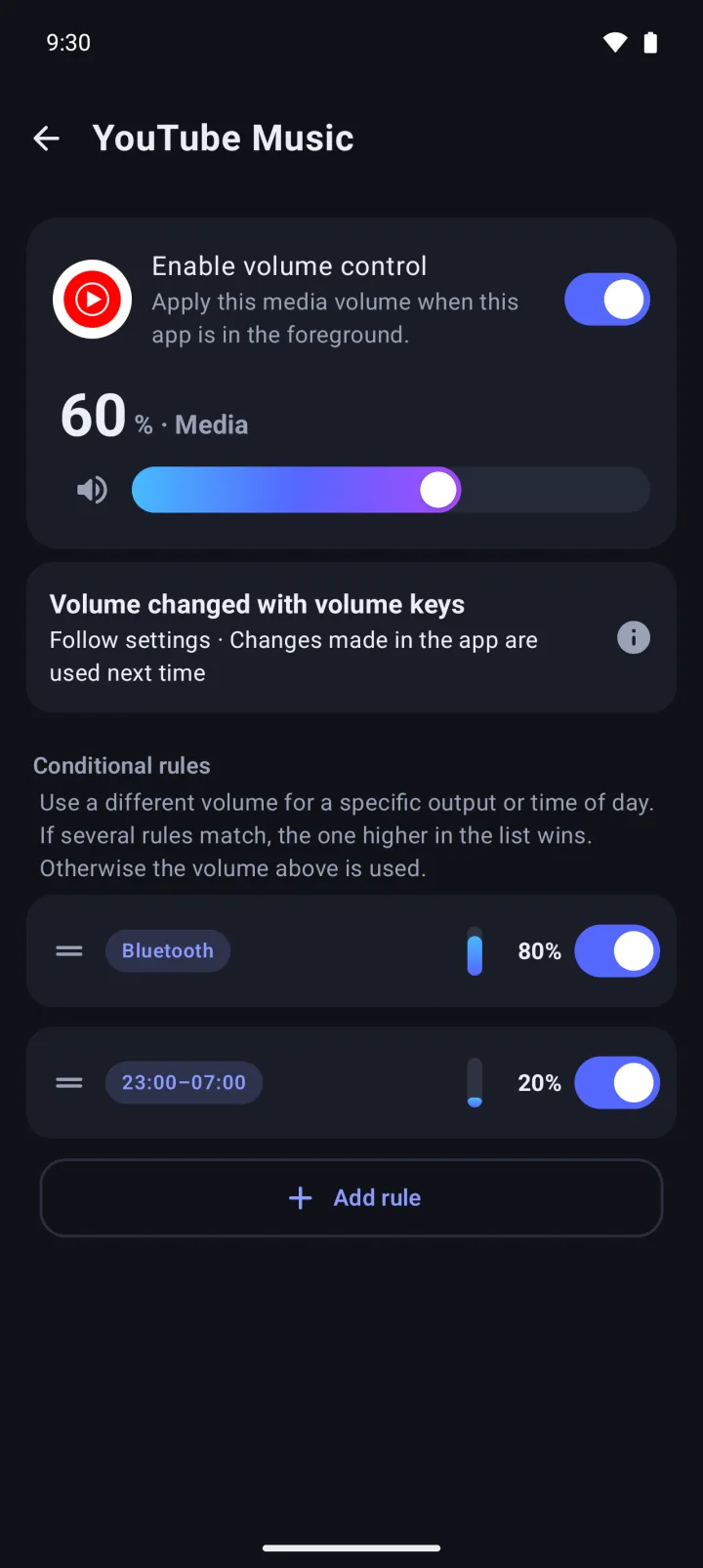
Conditional rules give an app a different volume on the speaker, wired headphones or Bluetooth, or during hours you choose. When more than one rule matches, the one on top wins. Drag to reorder.
 AppVolume
한국어
AppVolume
한국어
AppVolume is an Android app that switches your media volume to the level you set for each app when that app comes on screen, and puts your previous volume back when you leave. Per-app volume and mute are free with no limit on apps (with ads); AppVolume Pro, a one-time purchase, removes ads and adds category rules and more.
It's not a mixer for two apps playing at once. Android has one media volume, and AppVolume sets it for whichever app is on screen.
Get it on Google Play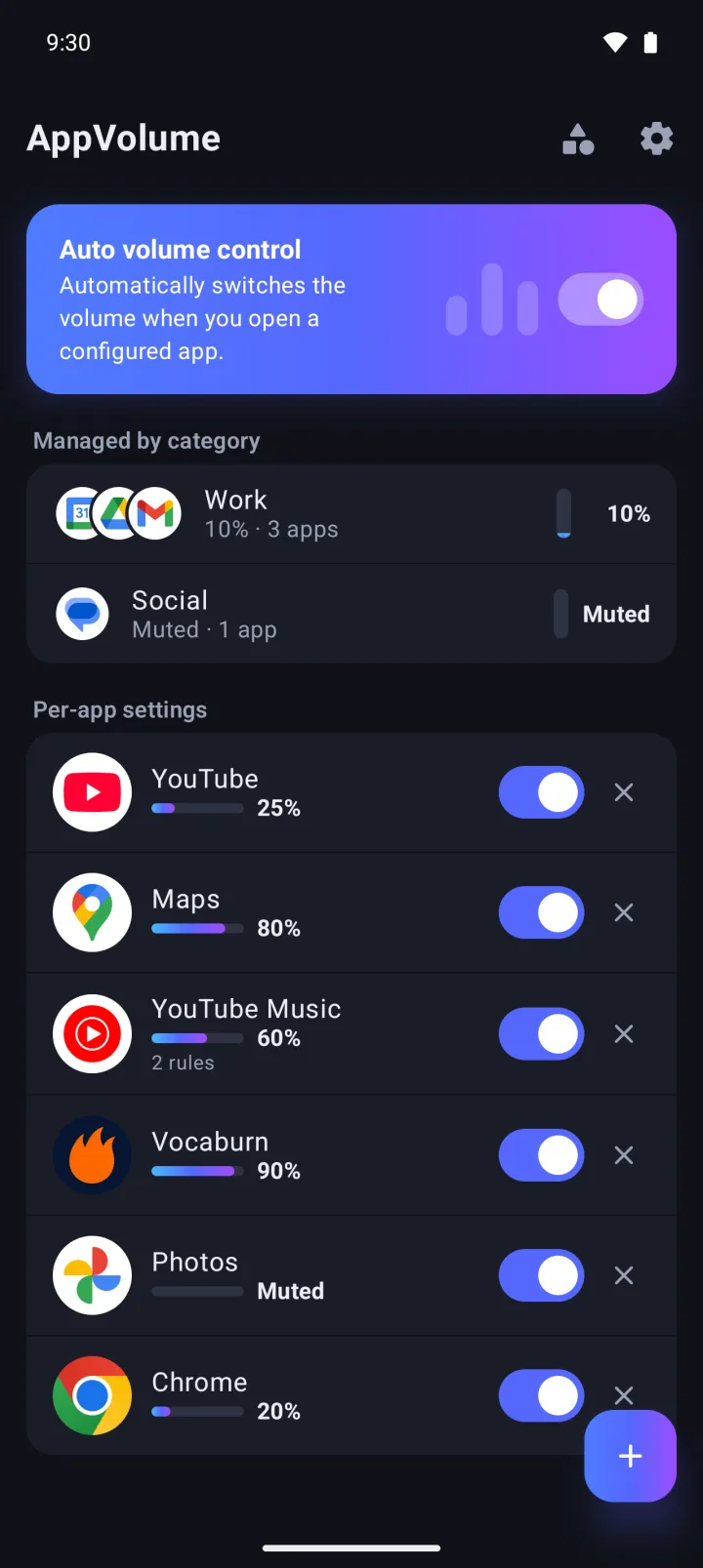
Mute your games, keep videos low, and use another level on Bluetooth. AppVolume does the volume-button dance every time you switch apps, so you don't have to.
Set a media volume for each app, from 0 to 100% in 1% steps. It kicks in when the app comes on screen, and your previous volume comes back when you leave. Set it to 0% to mute the app, and it holds while a video stays open in a picture-in-picture window.
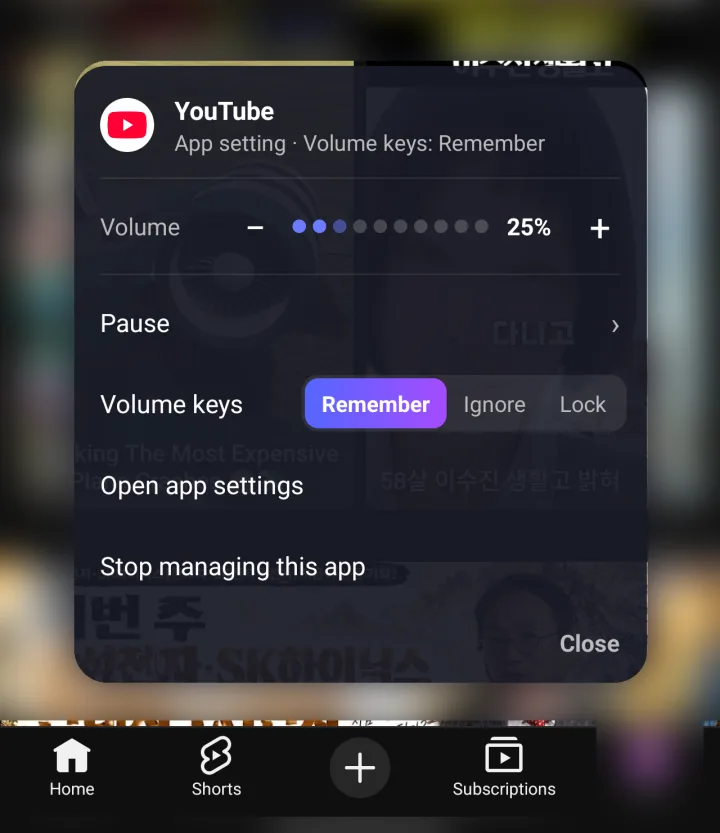
Choose whether AppVolume ignores the change, remembers it as the new volume, or locks the app to its preset. Set it once for every app, or app by app.
Conditional rules give an app a different volume on the speaker, wired headphones or Bluetooth, or during hours you choose. When more than one rule matches, the one on top wins. Drag to reorder.
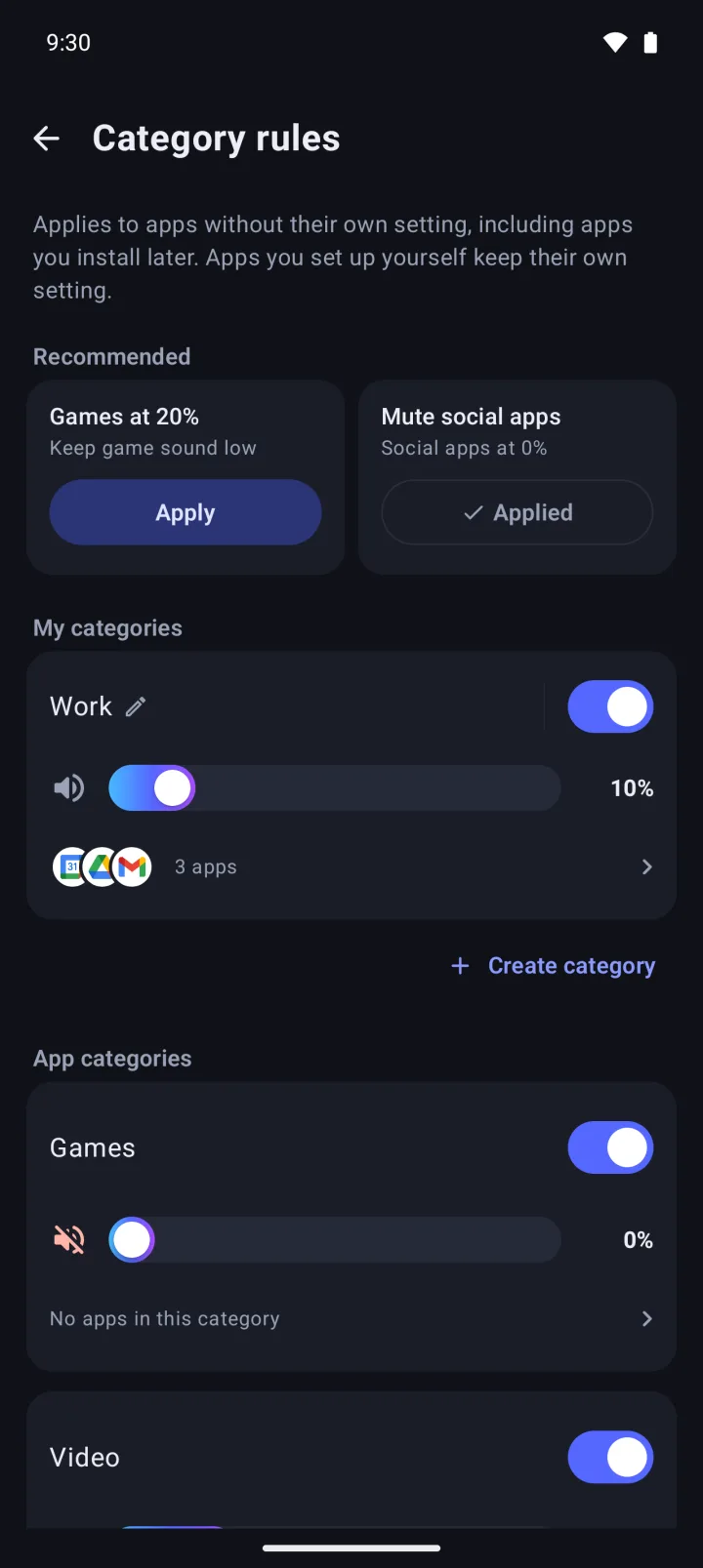
Category rules in Pro set one volume each for Games, Video, Social, Music & audio, News, Maps & navigation, Photos and Productivity, including apps you install later. With My categories, you group your own apps under one volume. One is free.
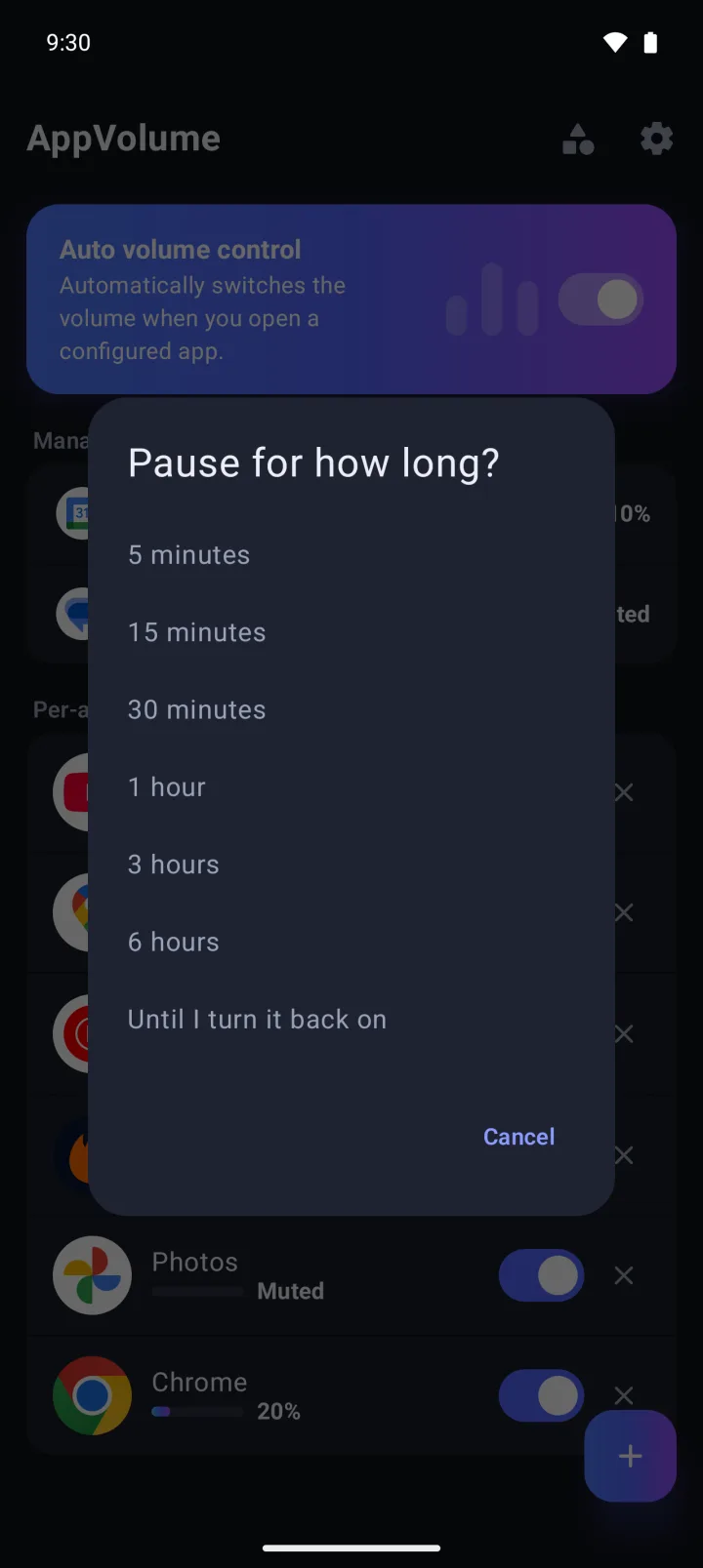
Pause everything, or a single app, for 5 minutes up to 6 hours, or until you turn it back on. The Auto volume tile in Quick Settings pauses and resumes it in one tap.
When a volume is applied or restored, a short notice shows at the top or bottom of the screen. Its menu lets you adjust the volume, pause, or stop managing that app.
| Free | AppVolume Pro | |
|---|---|---|
| Price | Free | US$4.99, paid once. Not a subscription |
| Per-app volume and mute | ✓ No limit on apps | ✓ |
| Volume key modes, pause, Quick Settings tile | ✓ | ✓ |
| Conditional rules (output device, time of day) | Up to 2 (app and category rules combined) | Unlimited |
| My categories | 1 | Unlimited |
| App category rules (Games, Video and 6 more) | — | ✓ |
| Settings backup and restore | — | ✓ |
| Ads | Banner, app-open and full-screen ads | None |
Rules and categories you've already made keep working, even past the free limits. Price shown is for the US and varies by region (₩6,900 in Korea).
| AppVolume | Built-in per-app volume mixer (some phone makers) | Pressing the volume buttons each time | Volume control apps (sliders, widgets) | |
|---|---|---|---|---|
| Separate levels for two apps playing at once | No. It sets the one media volume for the app on screen | Usually yes | No | Usually no |
| Switching volume as you open and leave apps | Automatic, and restored when you leave | Varies by maker | By hand, every time | Usually by hand |
| Different levels for Bluetooth, headphones or time of day | Conditional rules (2 free) | Varies by maker | By hand | Varies by app |
| Which volume it changes | Media volume only | Varies by maker | Media, ringtone and other system volumes | Usually several system volumes |
| Phones it works on | Android 10 and later | Only that maker's phones | Any phone | Varies by app |
| What it takes | Accessibility access. Free with ads, or Pro as a one-time purchase | Nothing extra | Nothing extra | Varies by app |
Category columns describe typical behavior; individual phones and apps vary.
AppVolume does exactly that. Set a media volume for each app, and it switches to that level when the app comes on screen, then goes back to your previous volume when you leave. No root needed, and no persistent notification.
No. AppVolume can't mix two apps playing at the same time. Android has one media volume, so while a muted game is on screen, music playing in the background goes quiet too. If your phone has a per-app volume mixer built in, it may be the better fit for this.
Yes. Set the game's volume to 0% and it's muted every time you open it, with your volume back when you leave. That's free, for as many apps as you like. To cover games you install later too, turn on category rules in Pro. They follow the category each app declares, so apps that don't declare one need to be added by hand.
Yes. Conditional rules set a different volume for the speaker, wired headphones or Bluetooth, or for hours you choose. Time rules are checked when you open the app, so if the hour changes while you're using it, the new volume applies the next time you open it. You get 2 conditional rules for free.
Yes. Per-app volume, mute, volume key modes, pause and the Quick Settings tile are free, with no limit on apps. The free limits are 2 conditional rules (app and category rules combined) and 1 custom category. The free version shows banner, app-open and full-screen ads.
Yes, AppVolume Pro removes all banner, app-open and full-screen ads, and it's a one-time purchase, not a subscription. It's US$4.99 in the US, and prices vary by region. Pro also unlocks category rules, unlimited conditional rules and custom categories, and settings backup and restore.
It needs to know which app is on screen to apply that app's volume. Android doesn't let ordinary apps see that, so AppVolume uses its accessibility service for this one job. If the service is off, the volume won't change, and AppVolume sends a notification when it gets turned off.
It doesn't read text on your screen or what you type, and it doesn't send app names or package names. The accessibility service checks only the package name and window class of the active window and whether a picture-in-picture window is open, and it never taps or types for you. Usage stats (Firebase Analytics) include things like the app type Android assigns (for example, game), the volume level and the output type. Ads (AdMob), crash reports (Crashlytics) and purchase checks (Google Play) also use the internet.
You choose: Ignore, Remember or Lock. Ignore is the default and keeps your preset after you leave, Remember saves the new level as the preset, and Lock puts the volume back to the preset even while you're in the app. Set it for all apps at once or app by app.
No, only media volume. Ringtone, notification and alarm volumes stay as they are.
Yes. With Pro's backup and restore, export your settings to a file and load it on the new phone. The backup file is saved wherever you choose. There's no account or login; your settings are stored on your device.
No. AppVolume runs only on Android 10 and later. There's no iPhone version.